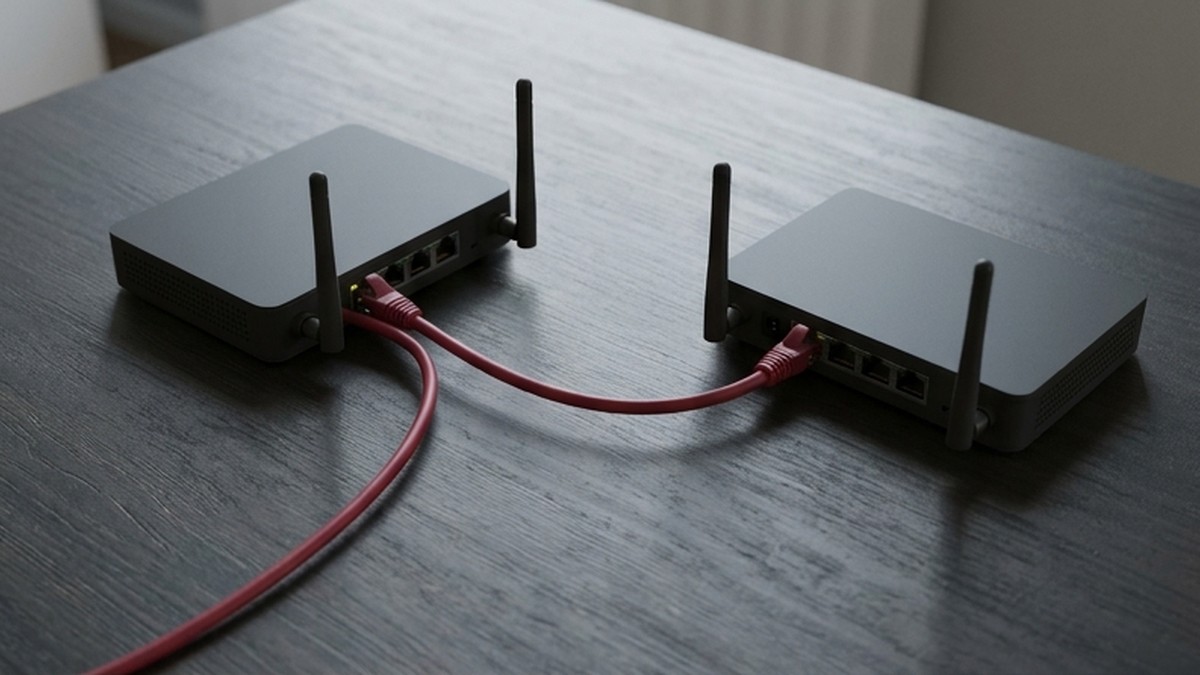
WireGuard makes encrypted network tunneling approachable, but a short configuration can still express a broad access decision. The key concept is not simply “turn on the VPN.” It is understanding which peer receives a packet, which source addresses that peer may present, and which application services remain reachable after the packet enters your network.
This guide explains AllowedIPs using WireGuard’s official overview, then builds a defensive review workflow for networks you own or are authorized to administer. It is not a guide to bypassing workplace restrictions, accessing someone else’s network, or treating a VPN as a guarantee of anonymity.
Start with cryptokey routing
WireGuard associates public keys with lists of tunnel IP addresses. Its official description calls this cryptokey routing. When sending a packet through the interface, the destination address helps determine which peer receives the encrypted packet. When receiving a packet, the configured addresses help determine whether the authenticated peer may present that source address.
AllowedIPs therefore participates in both routing and source-address authorization. Thinking of it only as a list of websites the user may visit is misleading. It concerns network addresses carried through the tunnel, and the same-looking field can have different practical implications depending on whether you are configuring a client or a gateway.
Authentication of the peer does not eliminate every network policy question. Once an accepted packet reaches your system, normal routing, forwarding, firewall rules, and application authorization still matter. A valid tunnel key should not automatically grant access to every database, management interface, or other peer in the environment.
Keep keys and network scope separate
Each interface has a private key, and peers are identified with public keys. The private key must remain secret. Public keys can be distributed through an appropriate verified channel so that each side knows which peer it is configuring. Key distribution and pushed configuration are explicitly outside WireGuard’s core scope.
That means an organization needs its own process for enrollment, inventory, and removal. Record which device or service owns each peer key and who approved its access. Avoid one shared client configuration for an entire team. Shared identity makes revocation, accountability, and device-specific troubleshooting harder.
Do not paste private keys into tickets or public configuration examples. A troubleshooting report can usually include redacted addressing and the relevant routing policy without exposing secrets. If a private key is leaked, treat it as compromised and follow an authorized replacement and peer-removal process rather than merely deleting the message containing it.
Explain the intended traffic before editing
Write a plain-language requirement: this laptop may reach this development subnet, or this site may reach this specific service network. Then map that requirement to address ranges. The exercise often exposes a mismatch before any command runs. A desire to reach one server rarely requires an unrestricted route to every possible destination.
A narrow host prefix and a broad subnet express different scopes. Review both IPv4 and IPv6 where applicable. WireGuard supports both, but a plan that considers only one family may leave the other following an unexpected path. Whether that is acceptable depends on the intended network policy, not on the fact that the tunnel is encrypted.
Check for overlaps with local networks, other tunnels, and existing routes. A private range that works at the office may conflict with a home router or hotel network. Overlap can produce confusing failures even when keys and handshakes are correct. Document the address plan and test from the environments users actually use.

Full-tunnel and split-tunnel are policy choices
A split-tunnel design sends selected destination ranges through the VPN while other traffic uses another path. A full-tunnel design aims to send general traffic through the chosen peer, using the necessary routing setup for the address families in scope. Neither design is universally safer without considering who operates the gateway and what the network requires.
WireGuard’s overview illustrates a wildcard IPv4 AllowedIPs value for a client’s server peer. That broad association should be understood rather than copied reflexively. The complete traffic path can also depend on the configuration tool, host routes, firewall behavior, and DNS setup. A single field is not proof that every packet or name lookup takes the path you expect.
For an organization, decide whether the purpose is internal service access, managed internet egress, or site-to-site connectivity. Those purposes require different acceptance checks. Avoid describing a split-tunnel setup as a failure merely because unrelated internet traffic bypasses it, if that was the approved policy.
DNS is another layer to verify
A tunnel carrying IP packets does not automatically settle how names are resolved. Review the DNS configuration provided by your client workflow and operating system. If internal names need an internal resolver, verify that resolver is reachable through the intended path and that the relevant names resolve correctly.
Do not equate a successful handshake with correct DNS behavior. Test a permitted service by address and by name, then identify where a failure occurs. The distinction helps separate tunnel connectivity, routing, firewall rules, and name resolution. Changing all four at once makes troubleshooting slower and can accidentally broaden access.
If privacy or controlled egress is a requirement, test the actual DNS and traffic path using approved diagnostics. State the conditions of the test and its limitations. Avoid a blanket claim that “WireGuard prevents all leaks” or “a VPN hides everything.” The protocol is one component in a wider system.
Validate both allowed and denied access
Begin with a small authorized test network and a recovery path that does not depend on the tunnel you are changing. Remote network edits can disconnect the administrator. Keep out-of-band or local access where appropriate, and schedule changes so a routing mistake does not strand a production system.
Verify that the intended peer authenticates and reaches the approved destination. Then test that unrelated services and other peers remain inaccessible where policy requires that separation. Positive connectivity is only half the acceptance criteria. An overly permissive configuration can look successful if nobody tests the negative cases.
Observe the gateway’s firewall and application controls as well as WireGuard state. A peer being allowed to send a source address through the interface is not the same as being authorized to perform a business operation. Keep authentication and permissions at the application layer where the service requires them.

Troubleshoot one boundary at a time
If no tunnel traffic appears, check the configured peer identity, endpoint reachability, and whether the network permits the required UDP path. Do not start by opening every firewall port. If the tunnel is active but the service is unreachable, inspect destination routing, forwarding, return routes, and the service’s listening configuration.
If access works in one location but not another, compare address overlap, network filtering, and name resolution. Use a minimal reproducible test rather than collecting unrelated screenshots. Keep private keys and sensitive internal addresses out of public reports. A redacted diagram and a precise symptom are often more useful than a full configuration dump.
After an access change, review peer inventory and remove entries for retired devices or services. WireGuard’s compact model makes it important that your surrounding administration process stays current. A forgotten peer can outlive the task it was created to support.
The practical takeaway
AllowedIPs links peer identity to tunnel address scope. Read it in the context of sending and receiving, then verify host routes, firewalls, DNS, and application permissions. A secure deployment is an intentional access design with tested boundaries, not simply a green connection indicator.
Source checked October 8, 2026. Consult the official WireGuard overview and your platform’s supported configuration guidance before applying changes. Examples here are conceptual and do not constitute a ready-to-deploy configuration.
